If you’ve ever gotten cable service in your home or office, you’ve probably noticed a small, boxy device tucked behind your TV or next to your modem that looks like a mini satellite dish with a few ports. That’s a coaxial cable splitter, and for anyone in the cable industry, it’s one of the unsung workhorses that keeps our networks running smoothly—and keeps your devices connected. As a cable supplier who’s spent 12 years troubleshooting installations and advising residential and commercial clients, I’ve seen firsthand how many people don’t just use splitters, but misuse them without realizing it. Today, I want to break down exactly what a coaxial cable splitter is, why it matters, and how we at our company make sure our customers get the right one for their needs. Cable
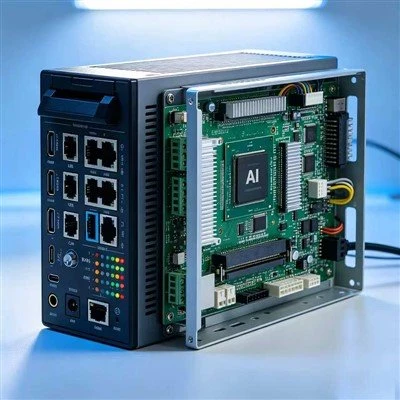
First, let’s start with the basics: what a coaxial cable splitter is, in simple terms. A splitter is a passive (meaning it doesn’t need a power source) device that takes one incoming coaxial cable signal and splits it into two or more identical outgoing signals. Coaxial cables carry high-frequency signals—for cable TV, internet, and even telephone service—and those signals don’t play well with old, mismatched equipment. A splitter acts like a traffic cop, dividing that single signal without dropping it to a level that would break your devices. But here’s a key point not many people know: splitters aren’t one-size-fits-all. A splitter made for a small home with two TVs is way different from one made for a multi-story office with 12 connections, and using the wrong one is the fastest way to get pixelated TV or slow internet.
Let’s talk about the primary use case first: residential cable TV. Think back to when you first got cable. Before splitters, you’d have to run a separate line from the street to every TV in your house, which would mean more holes in the wall, more cables snaking through your attic, and way higher bills for extra wiring. Splitters solved that. When the cable signal comes into your home from our main line, it’s a single, strong stream that can power multiple TVs. A 2-way splitter would take that one stream and split it into two, so you can have a TV in the living room and one in the bedroom both working at the same time. A 4-way splitter is common for homes with a home office, a basement TV, and a kids’ bedroom, and so on. But here’s where mistakes happen: if you use a 4-way splitter in a home that only needs two, you’re splitting the signal four ways instead of two, which cuts the strength of each outgoing signal by half. That can lead to “snow” on your old TVs, pixelation during live sports, or even dropped channels during heavy rain. As a supplier, we always ask customers how many devices they’re connecting before we recommend a splitter—too many people walk in and grab the cheapest splitter on the shelf, which ends up costing them service calls.
Next, splitters are critical for cable internet. These days, most of us have both TV and internet coming over the same coaxial line, right? That’s called “triple play” or “quad play” service, and the splitter separates those two signals so they don’t interfere with each other. Wait, let’s clarify that: the incoming signal is actually split into two different frequency bands—one for TV, one for internet. A residential internet modem connects to the “data” port of a splitter, and the TV connects to the “video” port. But if you use a splitter that’s not designed for both frequency bands, you might get a strong TV signal but a weak internet signal, or vice versa. For example, a splitter designed only for older analog TV signals might not support the higher frequencies needed for DOCSIS 3.1 modems, which are the standard for fast cable internet these days. That’s why at our company, we test every splitter we carry to make sure they support up to 1218 MHz, which is the required frequency for modern cable internet. We’ve had customers bring in a splitter they bought online that worked for their old CRT TV but killed their 1 Gbps internet, just because it wasn’t rated for high-speed data. The fix was switching to a DOCSIS-approved splitter, and their internet speed went right back up.
Commercial settings are where splitters really shine, and where I’ve seen the most innovation in our products. A small retail store, for example, might have 8 security cameras that run over coaxial cable, plus a TV in the break room and a point-of-sale system that uses cable internet. A multi-unit apartment building might have 50 apartments each with their own cable and internet, all coming from a single main line on the property. In those cases, we use “high-port count” splitters—16-way, 32-way, even higher—to split the main signal into dozens of lines without losing strength. But commercial splitters also have to be more durable than residential ones. They’re mounted in utility closets, exposed to temperature changes, dust, and sometimes humidity, so we use corrosion-resistant connectors and rugged casings that residential splitters don’t need. Last year, we worked with a hotel chain that had 120 rooms, and their old splitters were failing every 6 months because they were cheap residential models installed by a contractor who cut corners. We supplied them with commercial-grade 8-way splitters, and they haven’t had a splitter failure in over a year. That’s the kind of value we focus on as a supplier—we don’t just sell a box; we sell a solution that lasts.
Another less talked-about use for coaxial splitters is in signal distribution for outdoor installations. A lot of people don’t realize that coaxial cable is also used for satellite TV, antenna TV, and even amateur radio setups. For someone with a rooftop antenna who wants to watch both local channels and a TV in their garage, a splitter lets them run one antenna line to two TVs. We’ve also supplied splitters to campground owners who need to distribute cable TV to 20 or 30 campsites—these splitters are weatherproof, so they can handle being mounted outside year-round, rain or shine. One of our regular customers is a small antenna installer who says our outdoor-rated splitters are the only ones that don’t get damaged by sun exposure—other brands’ splitters would crack after a few months of being in the sun, but ours use UV-stabilized plastic that holds up. That’s the kind of detail we pay attention to, because we know our customers depend on us for gear that works in the real world, not just in a showroom.
Now, let’s clear up a common myth about coaxial splitters: they don’t “reduce” the total amount of signal, they divide it. Wait, no—actually, in a perfect passive splitter, the total signal power is split evenly, so each port gets roughly half for a 2-way, a third for a 3-way, and so on. That’s why splitting a signal too many times without amplifying it can cause problems. That’s where a cable amplifier comes in, but a lot of people think they can use a splitter and an amplifier together when they don’t need to. As a supplier, we always explain that if your signal is already strong enough, you don’t need an amplifier—but if you’re splitting 5 ways or more, especially for long cable runs, an amplifier paired with a high-quality splitter is the right call. We see customers all the time who try to use a cheap 8-way splitter in a house with a 100-foot cable run, and their internet is slow because each port is only getting a eighth of the original signal. The fix isn’t a bigger splitter—it’s a 4-way splitter, plus an amplifier placed closer to the incoming line to boost the signal before it’s split. That’s the kind of personalized advice we offer, because every installation is different.
Another point: connector type matters. Most splitters use F-type connectors, which are the standard for coaxial cable, but there are different sizes—RG-6 is the most common for modern residential and commercial use, while RG-59 is older and mostly used for older analog systems. If you mix up connectors, you can get a loose connection or poor signal. At our company, we carry splitters pre-terminated with RG-6 cables of varying lengths, so customers don’t have to worry about buying separate connectors and crimping them on themselves. We also sell crimp tools for customers who want to make their own cables, but we always recommend using pre-terminated for most installations to avoid mistakes. Last quarter, a customer came to us after trying to crimp his own connectors for a 4-way splitter, and he had a loose connection that made his TV cut out every time the wind blew. We had him swap to a pre-terminated splitter, and the problem was gone immediately. It’s the little things like that that make a good supplier stand out.
Let’s talk about how we test our splitters. Before any splitter leaves our warehouse, we run a signal test to make sure it has low insertion loss—meaning it doesn’t take away too much signal when it splits. Insertion loss is measured in decibels (dB), and the lower the number, the better. A good residential splitter has about 3.5 dB of insertion loss for a 2-way, 5.5 dB for a 4-way, and 8 dB for an 8-way. A bad splitter might have 5 dB for a 2-way, which is a big difference when you’re working with a weak incoming signal. We also test for isolation, which is how much the outgoing signals interfere with each other. Poor isolation can cause channel interference, where you see a fuzzy image on one channel because of a signal from another. All our splitters have at least 20 dB of isolation, which meets or exceeds industry standards. That’s important because for commercial customers, even a little interference can lead to hundreds of service calls, which is why we prioritize quality over cost.
Now, let’s wrap this up. A coaxial cable splitter isn’t just a small plastic box—it’s a foundational part of any cable network, whether it’s in a single-family home, a 10-unit apartment building, or a large office park. It lets you connect multiple devices without running extra lines, separates TV and internet signals to avoid interference, and works in harsh outdoor environments when it’s built right. But the key to using a splitter correctly is picking the right one for your needs—matching the number of ports, the frequency rating, the connector type, and the environment it’s going to be in.
If you’re planning a new installation, upgrading your existing cable network, or just need a replacement splitter, we’re here to help. Our team has decades of experience in the cable industry, and we can recommend the perfect splitter for your specific setup, whether it’s residential, commercial, or outdoor. We offer bulk pricing for contractors and property managers, and every product we carry is tested for reliability so you don’t have to deal with frequent outages or service calls. Reach out to our team at your convenience to discuss your requirements, and we’ll work with you to find the right solution for your needs.
Residential Security Cameras References
- Federal Communications Commission. (2022). Cable Signal Distribution Standards for Residential and Commercial Networks.
- Cable Television Laboratories, Inc. (2021). DOCSIS 3.1 Equipment Specifications for Splitters and Amplifiers.
- National Cable & Telecommunications Association. (2020). Best Practices for Coaxial Cable Installation and Signal Distribution.
- Underwriters Laboratories. (2019). Standard for Safety of Coaxial Splitters for Low-Voltage Applications.
- Society of Cable Telecommunications Engineers. (2022). Field Guide to Passive Network Components for Cable Systems.
Liaoning Yifang Wisdom Technology Group Co., Ltd.
Liaoning Yifang Wisdom Technology Group Co., Ltd. is one of the most professional cable manufacturers and suppliers in China, also supports customized service. We warmly welcome you to wholesale the newest cable in stock here from our factory. If you have any enquiry about quotation, please feel free to email us.
Address: Minmetals Corporation Building Yingkou Liaoning China
E-mail: LN-YF@hotmail.com
WebSite: https://www.yifangwisdom.com/
