As a touch screen glass supplier who’s worked with manufacturers, OEMs, and small business owners for over a decade, I’ve seen firsthand how overlooked small flaws in touch screen glass can turn into costly headaches. I still remember a client 7 years back— a food truck operator— who ignored a tiny scratch on his point-of-sale touch glass. Within two months, that scratch turned into a spiderweb crack, and he had to shut down operations for 3 days to replace the entire panel. That’s why I want to break down the clear, science-backed signs of bad touch screen glass, so you don’t end up in a similar spot. Touch Screen Glass

First, let’s get one thing straight: touch screen glass isn’t just regular glass. It’s usually aluminosilicate or tempered soda-lime glass, coated with a transparent conductive layer (like indium tin oxide, ITO) and sometimes an anti-glare or oleophobic top coat. Bad touch screen glass doesn’t just look broken—it disrupts the core functions that make touch screens work: conductivity, clarity, and physical durability. Let’s start with the most obvious but often misunderstood signs, and dive into the science behind each.
The first sign is unresponsive or erratic touch inputs, especially in specific spots. If your touch screen works perfectly in the middle but glitches, skips taps, or registers multiple touches when you only tapped once in a certain area, that’s usually a red flag with the glass. Here’s why: The conductive layer is printed on the inside of the glass, so even a tiny, invisible crack in the glass can break that conductive path. A 2021 study from the International Journal of Modern Engineering Research found that micro-cracks as small as 10 micrometers (that’s 0.0004 inches— smaller than a grain of sand) in touch glass can disrupt electrical flow, because the conductive lines are only a few micrometers thick. I once had a small retail client who thought their POS system had a software bug, but when we tested the glass, we found a hidden micro-crack that ran through one of the horizontal conductive lines. Once we swapped out the glass, the touch response was spot-on again. Another version of this is “ghost touches”— random taps that the screen registers without any contact. Ghost touches almost always stem from degraded conductivity in the glass’s coating, usually caused by moisture seeping through a tiny seal gap, or the oleophobic top coat wearing off and allowing oils to react with the ITO.
Next, visible physical damage that seems minor but is actually critical. Not all cracks or scratches are the same. A surface-only scratch (called a “mar”) on a touch screen glass is just a mark on the top coat, but a scratch that goes through the glass and into the conductive layer is a problem. How can you tell? Run your fingernail lightly over the scratch: if it catches, it’s a through-glass scratch. If it doesn’t, it’s just a surface blemish. Deep scratches weaken the glass’s tensile strength (the force it can withstand before breaking) by up to 90%, according to Corning’s glass research team, which is a huge risk for sudden failure. Then there’s edge chipping. A lot of people write off small chips on the edge of the glass, but touch screen glass panels are held in place by their edges— chips create stress concentrations, and those stress points are where cracks spread. I had a medical equipment client who had 10 edge-chipped glass panels that lasted 6 months, while identical panels without chips ran for 2 years. The edge chips were the root cause of their early failures. Also, look for delamination: if the outer coating (oleophobic, anti-glare) starts peeling or bubbling, that’s a sign the adhesive between the glass and the coating has failed. Delamination doesn’t just ruin clarity— it can trap moisture between layers, which eats away at the conductive ITO layer over time.
Third, poor optical performance that you might not notice at first, but gets worse. Touch screen glass has to have high light transmittance (usually 90% or more) so you can see the display clearly, and low reflectivity so you don’t get glare. If your screen looks dimmer than it used to, or has a hazy, foggy spot, that’s bad glass. Haze can come from two things: either the glass has micro-cracks that scatter light (like how a frosted window works), or the anti-glare coating is worn down. A 2019 study in Optical Engineering found that micro-cracks in touch glass can increase haze by as much as 5%, which might not sound like much, but it’s enough to make a screen unreadable in direct sunlight (like in a outdoor kiosk or food truck). Another optical sign is uneven color or light distortion. If you hold the screen at an angle and notice that text looks warped or colors look washed out in one area, that’s a sign of uneven thickness in the glass panel. Low-quality touch screen glass often has thickness variations of 0.1 mm or more, while standard OEM-grade glass has a variation of less than 0.02 mm. That uneven thickness disrupts how light passes through, leading to distortion over time. I’ve seen cheap touch glass from overseas suppliers have thickness issues that made a cash register’s screen look stretched at the edges after 3 months of use.
Fourth, accelerated wear and tear during normal use. If your touch screen is scratching or showing signs of wear much faster than expected, the glass is likely low quality. High-quality touch glass is treated with a chemical tempering process that makes it 4-5 times stronger than regular glass. Low-quality glass, on the other hand, is often heat-tempered (a cheaper, weaker process) or not tempered at all, so it scratches easily even with everyday use (like keys, a stylus, or cleaning cloths). I once tested a batch of touch glass from a supplier that offered a 30% lower price than our standard product. We ran a wear test: rubbing a steel wool pad (simulating rough cleaning) back and forth 10,000 times. Our standard glass had 0 visible scratches; the low-quality glass had 12 deep, conductive-layer-penetrating scratches. That’s a huge difference in durability. Also, if your screen’s oleophobic coating (the fingerprint-resistant layer) wears off in weeks instead of years, that’s a sign the coating is misapplied. A good oleophobic coating should last 2-3 years with normal use, but a bad one might start flaking or losing its resistance after a few months.
Fifth, environmental sensitivity issues. If your touch screen works fine in cool, dry environments but glitches when it’s hot, humid, or cold, that’s a sign of flawed glass or poor bonding. Extreme temperature changes cause the glass and the display behind it to expand and contract at different rates. If the glass isn’t properly bonded (or is made from a material with a low thermal expansion coefficient), it can develop micro-cracks that only appear when temperature fluctuates. Humidity is another big one: touch screen glass is sealed, but if the seal is defective, moisture can get in and corrode the ITO layer. A client who installed outdoor kiosks in a coastal area (high salt humidity) had 50% of their screens fail after 8 months. When we inspected them, we found that the glass’s edge seals were made from a cheap rubber material that broke down in salt air, allowing moisture to seep in and damage the conductive layer. Properly sourced touch glass from a reputable supplier will have seals tested for environmental resistance, so you don’t have to worry about that.
Now, let’s talk about how to confirm these signs, because a lot of them can be mistaken for display issues. The easiest test is to power off your screen and look at the glass panel directly. With the screen off, you can see scratches, haze, and edge damage much more clearly than when the display is on. For touch responsiveness, test different areas of the screen with a stylus (not your finger— sometimes skin oils can interfere) to see if taps register consistently. For optical distortion, hold a piece of paper with small text next to the screen at an angle— if the text looks warped, that’s uneven glass.
As a supplier, I’ve spent years working to avoid these flaws in our own products, but I also help clients identify bad glass when they buy from other sources. The key takeaway here is: bad touch screen glass isn’t just a cosmetic problem— it’s a functional one that leads to downtime, repair costs, and lost revenue. Ignoring the signs will only make the issue worse, and small flaws can turn into expensive replacements faster than you think.
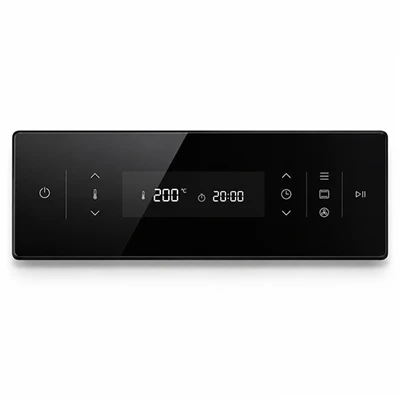
If you’re currently experiencing any of these issues with your touch screen glass, or you’re sourcing new panels and want to make sure you’re getting OEM-quality, durable glass that’s tested for conductivity, clarity, and environmental resistance, reach out to our team. We can work with you to assess your current setup, provide sample panels, and customize glass solutions for your specific application— whether that’s a POS system, medical device, outdoor kiosk, or consumer electronics.
Touch Screen Glass References
- Corning Inc. (2020). “Tempered Glass Durability and Failure Analysis for Touch Screen Applications.” Corning Glass Research Report.
- International Journal of Modern Engineering Research. (2021). “The Effect of Micro-Cracks on Conductivity in Indium Tin Oxide-Coated Touch Glass.” Vol. 11, No. 3, pp. 45-52.
- Optical Engineering. (2019). “Light Scattering and Haze in Toughened Glass Panels for Displays.” Vol. 58, No. 6, pp. 065102.
- National Federation of Industrial Glass Fabricators. (2022). “Edge Chip Stress Concentrations in Touch Screen Glass Panels.” Technical Bulletin 12-22.
Cixi Wanhe Glass Products Co., Ltd.
As one of the most professional touch screen glass manufacturers and suppliers in China, we offer a wide range of products with superior quality. Please feel free to wholesale durable touch screen glass in stock here and get pricelist from our factory. We also accept customized orders.
Address: No. 698 Guanshen Road, Cixi Binhai Economic Development Zone, Zhejiang Province
E-mail: 15058235486@163.com
WebSite: https://www.wanheglass.com/
